Patient Access Automation: Workflows, ROI and the Best Platform
Patient access automation handles routine work like scheduling, verification, and intake without someone having to manage each step manually. It can...
9 min read
Patient access automation handles routine work like scheduling, verification, and intake without someone having to manage each step manually. It can benefit both healthcare organizations and patients, but automating patient access isn't as simple as pulling a lever.
Some workflows are predictable. They'll always move from one point to the next. However, others can hit an exception, like a scheduling conflict or a verification request that has incorrect or missing information.
For healthcare systems, automating every single decision is often a misplaced goal. The actual need is to let automation handle workflows with clean paths while routing the exceptions to human specialists. That’s central to understanding the ROI of patient access automation and what to look for in a platform.
Automating patient access comprises six workflows, each building on top of each other. That also means you should confirm which of these workflows you're actually trying to fix before investing in any platform. Going in blind is how most healthcare teams end up chasing automation roi on a workflow that was never the bottleneck.
Referrals typically arrive as a fax, direct message, or through a patient portal. They all contain the same information, but in a different format, which is why manual triage takes so long.
Using the right patient access technology means pulling and structuring those fields automatically regardless of where the referral came from. The one part here that still requires human judgment is routing the referral to the right provider based on insurance, location, specialty, etc. Some providers automate this as well, but it only enables the system to simply find the next open slot.
Outreach begins once the system has confirmed a match. That handoff (call/text) is where triage ends.
Appointment scheduling automation has to cover both inbound and outbound. You have patients running in one direction to book their visits, and the staff running in another to reach back.
The first includes self-scheduling via portals or text messages, depending on your scheduling platform.
The outbound part covers reminder calls and rebooking if a patient is a no-show. It also covers filling empty slots using waitlists, which is often where providers lose revenue. When someone frees up a slot by cancelling, that opening must be quickly offered to another patient. However, this shouldn't be based on a first-come, first-served basis. Modern automated waitlists actually match patients based on several factors like urgency and past history.
Finally, reminders complete the workflow loop, but the system should be able to write back to update the scheduler, ensuring no staff members are pulled for this routine task.
MGMA's July 2026 poll confirms that most healthcare organizations prefer increasing headcount to improve patient access. However, adding more staff didn't improve wait times for everyone. Roughly half of them saw no change, over a quarter reported longer waits, while only one-fifth saw shorter wait times.
The differentiating factor was demand, which is why automating scheduling should be treated as its own project instead of something you add on after a hiring round.
Every eligibility verification system uses the 270/271 electronic transaction standards. The healthcare organization sends a request, and the insurance company returns details like the current status, copay, and deductibles.
Coverage discovery goes a step further by looking for active policies when the patient doesn't know which insurance they have. The system then re-verifies the patient closer to the appointment, giving staff a chance to catch any changes.
The 2024 CAQH Index found that 96% of medical eligibility transactions were fully electronic in 2023. That's a good adoption rate, but what happens when the response doesn't give the system everything it needs? An automated verification system that can't process a case must flag it for manual review, sending the problem back to your staff, which the automation was meant to solve in the first place.
A prior authorization request doesn't come with the paperwork. Someone still has to make sure the payer received it and follow up when there is no decision.
The process starts at the booking stage, well before that follow-up work. If authorization is required, your team gathers the necessary clinical documentation and submits the request to the payer. Then someone keeps following up to check for an update.
That follow-up adds up quickly. The AMA's 2025 survey of 1,000 physicians found that physicians and their staff spent an average of 13 hours a week dealing with prior authorization, while 95% reported care delays related to the process.
AI platforms for patient access automation can take over much of the routine status work by checking requests on a schedule and flagging changes for staff instead of relying on someone to remember to check.
While documentation that is incomplete or clinically ambiguous may still need human review, repeatedly checking whether a payer has updated a request can be handled largely through automation.
Knowing that a patient has coverage doesn't tell you what they will actually owe. Financial clearance takes the benefits confirmed during eligibility verification and uses them to estimate the patient's out-of-pocket cost before the visit.
That allows your team to have the financial conversation before the patient arrives. Staff can explain the expected balance, discuss available payment options, and flag anything that needs to be resolved ahead of time. Patients, on the other hand, get to know what they'll roughly owe and won't be surprised by the statement.
Automating registration and intake stops your front desk from collecting information that could have been handled earlier. You have pre-registration systems that collect demographics, forms, and consent ahead of the appointment, while ID and insurance scans add the information staff needs to verify the patient and coverage. Each completed step can then write back to the patient record without someone re-entering the same data.
Mobile check-in and arrival confirmation are part of intake too. When a patient confirms they're in the parking lot, they're completing the final step before the visit rather than starting a new scheduling workflow.
Automation can handle much of this without intervention, but the exceptions still need a clear owner. A completed consent form or routine demographic update can usually move straight into the record. But an ID that doesn't match the patient record, or an insurance card that conflicts with the eligibility information already on file, needs a manual review.
We've already explained how automating patient access is a two-part process: one's with the patient booking the visit, and the others with the staff handling the workflows in the back. Whatever automation platform you choose has to treat them as two separate jobs.
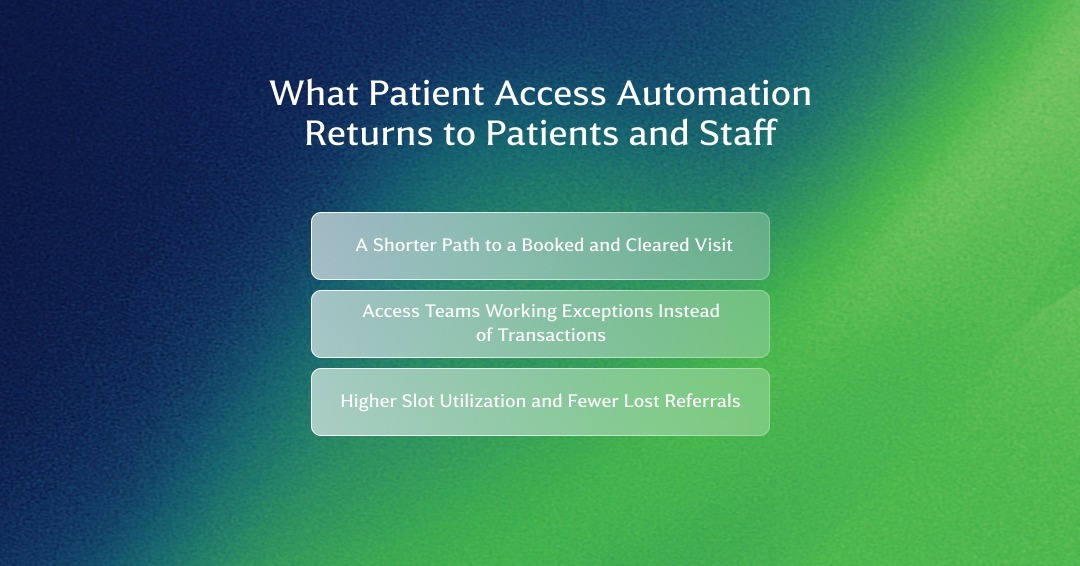
For patients, the benefit from automation lies in shorter wait times and reduced effort prior to the appointment day. A 2025 AMN Healthcare survey revealed that the average wait for a new patient appointment was 31 days. It reflects how "finding an opening" and "verifying insurance eligibility" remain separate steps, often handled by two manual teams.
Automation integrates these steps into a single interaction, allowing patients to schedule appointments and complete financial eligibility checks at the same time. The waiting period for a callback to confirm coverage gets completely eliminated.
Since automation handles routine, repetitive tasks, the staff no longer needs to spend hours every day manually entering the same information into different systems. What tasks do need human assistance are routed to an exception queue, so staff has to only focus on the cases that actually need them.
Automation allows referrals to move through the workflow without waiting for someone on your team to manually push them between departments. The same workflow works for cancellations. If a patient cancels a visit, the system instantly fills that empty slot while also updating the scheduler to keep everyone on the same page.
Most healthcare organizations don't need another system to manage patient access. Their EHR modules are already handling scheduling. They also have online patient portals to collect intake information, alongside a clearinghouse to verify eligibility. The problem is that those three systems are often operating in silos. So if one system needs to pass information to the next, it requires a staff member to step in manually.
Automation isn't meant to replace those systems. It connects their workflows so that a scheduling update can flow where it needs to go without someone re-entering the information, while eligibility or intake data can move through the workflow without creating another manual task. That lets your existing patient access technology do more without replacing the systems your teams already rely on.
Bolting automation as a tool onto an existing process rarely gives the results you want. That's because it doesn't fix the bottleneck. Automation now just carries that bottleneck further downstream. You need to fix that first before any patient access automation starts paying off.
Here's where to start:
The simplest way of understanding automation ROI is to take a routine example from a healthcare system. Your front desk receives a scheduling call, following which someone steps in to handle it and update the scheduler before moving on to the next patient. Multiply that workflow across thousands of patients in a month, and even the smallest manual task starts turning into a high operating cost.
A WestCX case study shows what that looks like at scale. An academic health system automated referral scheduling, appointment reminders, and other patient communications, managing roughly 700,000 communications each month.
Referral automation shortened scheduling time by up to 40%, while staff reported time savings across scheduling teams. A few minutes saved on one referral may not look like much, but repeated across that volume, those savings add up quickly.
The same applies to call volume. Industry estimates put missed-call rates somewhere around 20-35% for providers, while MGMA research shows that more than one in three medical groups miss at least 11% of calls during peak periods.
Every unanswered call creates another task for staff to chase down later, whether that means returning a scheduling call, responding to a routine question, or helping a patient who could not get through the first time. Automation can take predictable requests out of that queue, giving front-desk teams more room to handle the interactions that actually need a person.
The financial impact can also extend beyond staff time. Errors made during registration, intake, or eligibility verification can follow a patient through the revenue cycle and eventually contribute to a denied claim. Catching those errors earlier gives providers a chance to fix them before they become a billing problem.
That is where the benefits of patient access automation tools start to compound. Less time spent on routine access work creates more staff capacity. Fewer manual steps can reduce opportunities for errors. Cleaner information at the start of the patient journey can prevent problems further downstream.
That is where the ROI of patient access automation starts to compound. The ROI is not really tied to one automated task. It comes from removing small amounts of friction across a workflow that runs thousands of times every month.
Not all patient access technologies on the market address the same challenges. It's why healthcare organizations often make selections based on the quality of a demo rather than actual needs. A brief checklist can help quickly narrow down the options.
Patient access breaks down the moment a healthcare organization starts juggling multiple systems to stitch patient journeys together. Your staff ends up filling the gaps manually, while patients repeat information or wait for the next step to happen.
WestCX brings those interactions together so you can automate patient access without turning each task into another disconnected workflow. Scheduling, reminders, cancellations, prescription refills, intake, and other routine requests can run on their own while your healthcare teams stay focused on the interactions that need their attention.
But WestCX isn't just automating one task after another. Our orchestration engine, WestCX Orchestrate™, carries context for each patient from one interaction to the next, determining the next best step for them in the moment. So a scheduling interaction doesn't simply end when the appointment is booked. It can lead into confirmation, reminders, or intake based on what happened during the journey.
That same logic applies before the patient ever reaches your team. WestCX Orchestrate can identify patients who need outreach, determine the appropriate channel and timing, and trigger a personalized interaction.
If you're looking to automate patient access without replacing your current stack or creating more disconnected workflows, schedule a demo with WestCX Orchestrate. See for yourself how we connect your patient journeys and map each interaction to inform the next.
Patient access automation handles routine work like scheduling, verification, and intake without someone having to manage each step manually. It can...

More pharma brands are investing time and money into digital HCP engagement programs than ever. But something they need to understand is that more...

A pharmacy phone line can handle a lot without a person ever picking up. That is the basic job of an IVR, or interactive voice response system. It...