Cross-Selling in Banking: Matching Account Signals to the Right Offer
Ever received a call from your bank trying to sell you an additional product or service? That's cross-selling, a sales technique that aims to...
8 min read

Scheduling often looks simple on the surface until it starts breaking down. Your troubles might start with double bookings that lead to longer hold times and, finally, missed appointments.
This sequence example is just one of many, but they all chip away at patient trust as well as your revenue. These gaps also become harder to ignore once your volume picks up. The right scheduling platform ensures that doesn't happen.
We’ve pulled together a shortlist of patient scheduling solutions that actually hold up under real-world pressure. We’ll look at how each one handles volume, integrates with your existing EHR, supports automation without losing control, and fits the way your team already works so you can make a decision that sticks.
Best suited for large enterprise health systems managing high patient communication volumes that want a smarter solution to manage multiple service lines.
WestCX Orchestrate isn't your basic scheduling tool in the traditional sense. It's an AI communication platform that operates through two specialized brands. Televox handles patient engagement and outreach for healthcare organizations. Mosaicx focuses on conversational AI for broader enterprise use. WestCX Orchestrate, as a whole, offers a comprehensive patient scheduling solution built around engagement.
The platform is structured around three layers. The first is the Engagement Layer, which handles multichannel outreach across voice, SMS, RCS, chat, and email. The Optimization Layer comes next. It applies compliance rules and personalization logic to each interaction. Finally, the Evidence Layer captures outcome data and ties it back to performance.
WestCX Orchestrate is compatible with all major EHR and practice management systems. It's up and running in weeks, not months, which is critical for enterprises.
Pros:
Cons:
Best suited for mid-to-large medical groups, multi-specialty practices with 10+ providers, regional hospital systems, and integrated health networks.
Relatient's core product is Dash, an AI patient appointment software designed for large healthcare organizations that need scheduling to work across contact centers and patient self-service channels simultaneously.
Dash runs on a rules-based engine that routes each patient to the right provider based on appointment type, location, insurance, and visit reason. It also includes a Voice AI agent to field calls without any human oversight.
Key features include 24/7 online self-scheduling, automated reminders, digital check-in, referral scheduling, real-time insurance eligibility verification, and waitlist automation.
Relatient integrates with all major EHR and practice management platforms. Its compatibility aspect has become even more robust following the recent launch of Dash Direct, an open scheduling API that lets organizations embed their scheduling logic into phone trees, chatbots, and virtual agents.
Pros:
Cons:
Best suited for Small to mid-sized dental and medical practices that need dependable EHR sync across multiple locations.
NexHealth is built to fix the gap between what patients see when they book online and what actually lands in your health record system. Its standout feature is a bidirectional sync engine that reads and writes directly to your system without going through EHR APIs. Available slots update in around 10 seconds for most integrations. That accuracy significantly reduces the risk of double-booking.
NexHealth also handles online booking via a "Book" button that appears in Google search results. That, alongside automated recall messages, customizable intake forms, and analytics, creates a considerate scheduling software platform.
Pros:
Cons:
Best suited for multi-specialty groups that want a single platform for EHR and practice management.
Athenahealth’s core product is athenaOne, a single system that brings together EHR, practice management, and patient engagement. It runs on a single-instance cloud setup. That means updates happen automatically. You don't have to stop your workflows because of each update.
The scheduling module is built directly into the same environment. Athenahealth uses AI to automate appointment reminders and support insurance checks. Any scheduling conflicts are automatically flagged while managing waitlists.
Other scheduling features include custom templates, online portals, multi-provider calendar views, group session support, etc.
Athenahealth integrates natively with labs, pharmacies, and major payers, and supports additional connections through its Marketplace.
Pros:
Cons:
Best suited for large specialty practices, FQHCs, and multi-location organizations that need to automate patient outreach at scale.
Luma Health positions itself as an operational AI platform. Patients can schedule appointments online without ever calling the office or downloading an app.
Luma's AI engine coordinates scheduling, reminders, intake, and care gap outreach as one connected workflow. Multilingual capabilities further add a differentiator that makes this AI-powered patient scheduling actually work across a diverse patient population.
Other key features include guided scheduling with customizable questionnaires and guardrails that help match patients with the right provider. Waitlists don't require manual supervision and AI reminders can understand and respond to natural language.
Pros:
Cons:
Best suited for mid-to-large providers and health systems that want scheduling connected directly to intake automation, insurance verification, and digital payments.
Phreesia has made quite a name for itself in digital patient intake. Its scheduling tools are designed to work to the platform's core strengths. Those are automated check-ins, consent forms, insurance verification, and payments in the same workflow.
Phreesia uses a digital front for its self-scheduling feature. They call it an "appointment accelerator" that automatically texts patients to fill open slots and converts referrals at twice the usual rate without involving any staff.
On the revenue side, Phreesia handles digital billing, payment plans, Apple and Google Pay, and end-of-day reconciliation.
Pros:
Cons:
Best suited for solo mental health practices and small behavioral groups that want a complete solution to cover the full patient lifecycle.
SimplePractice is built specifically for behavioral health and mental health clinicians. Patients use a secure portal to book visits and complete intake forms without calling the office. The system keeps things organized by automatically syncing your calendar and labeling patients by status, insurance type, etc.
You also get access to waitlist management, group and couple sessions, and automated text and email reminders to help reduce no-shows.
The platform even includes a complete telehealth solution that doesn't require any separate tools. That plus an AI Note Taker that drafts progress notes from session data.
Pros:
Cons:
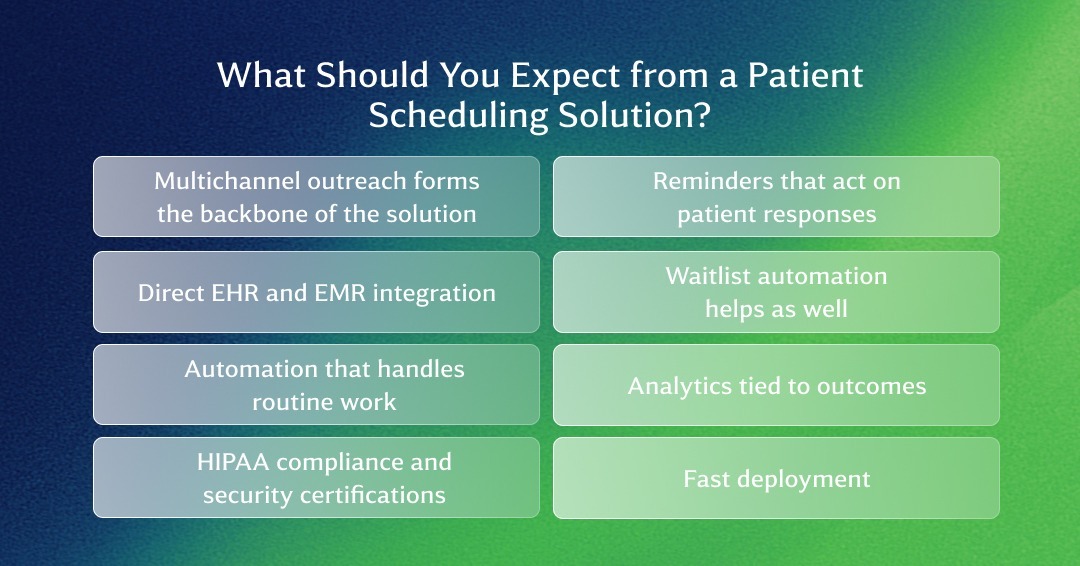
Not every patient appointment software delivers the same thing. Some only handle booking and reminders. Others go further by automating the full patient journey. Here's what a well-built solution should actually cover.
Multichannel outreach forms the backbone of the solution. Patients don't all respond the same way. A strong patient scheduling solution respects their preferences by covering voice, SMS/RCS, chat, and email. WestCX Orchestrate does this from a single platform. You don't need separate tools for each channel.
Direct EHR and EMR integration. Scheduling data that doesn't automatically sync with your health records creates more work. Someone on your team has to manually enter patient data that opens the door to errors and inconsistencies. WestCX Orchestrate is perfectly compatible with all major EHR and EMR systems.
Automation that handles routine work. There's no reason for your staff to waste precious hours fielding routine calls. A strong patient scheduling system comes with virtual assistants and secure portals that let patients manage their appointments without any staff involvement. WestCX Orchestrate has AI-powered virtual agents that handle routine inbound and outbound interactions across channels, which keeps your staff focused on decisions that actually need a human.
Reminders that act on patient responses. The platform needs to recognize what a patient says, update the calendar, and act without someone stepping in to interpret a text message.
Waitlist automation helps as well. A scheduling platform should automatically notify waitlisted patients and fill that slot before it sits empty.
Analytics tied to outcomes. Knowing how many reminders went out tells you very little. Knowing which service lines have the highest no-show rates and where scheduling bottlenecks exist actually helps your team. WestCX Orchestrate gives leadership dashboards that show this by service line, provider, and campaign.
HIPAA compliance and security certifications. This is non-negotiable for any platform handling patient data. For larger organizations, HITRUST certification matters too. WestCX Orchestrate holds both.
Fast deployment. A platform that takes six months to go live costs your organization six months of the old process. WestCX Orchestrate deploys in weeks, which is one of the fastest in the industry.
There's no single right answer here. The right platform depends on your practice size, patient volume, existing EHR systems, and how much of your scheduling you want to automate. That said, a few practical questions cut through most of the noise.
Start with the actual problem. What exactly are you trying to solve? Are no-shows eating into your revenue? Is your team buried in inbound calls? Are scheduling errors happening because staff are entering the same appointment into two systems? Naming the specific pain point before you evaluate any software saves a lot of time.
Match the platform to your size. Solo and small practices typically need clean scheduling, automated reminders, and a patient portal. They don't need a complex onboarding process or an orchestration layer that comes with enterprise pricing.
Check the integration list carefully. A platform that lists 10 EHR integrations sounds solid until yours isn't one of them. Always verify your exact configuration before assuming it's covered.
Ask how AI is actually used. This is where genuine capability separates from marketing copy. Every vendor slaps on an AI label because of its hype. But does it actually match patients to the right provider based on appointment type and insurance? Does it manage waitlists without a staff member approving each move? What about understanding a patient's conversational response and triggering actions accordingly? Confirm what actually runs automatically and what just gets flagged for a human.
Look at what data it produces. Scheduling affects a lot of other decisions like staffing levels, provider capacity, and service line planning. A platform that surfaces appointment outcomes, channel engagement rates, and campaign ROI gives your leadership something to act on. One that only tracks how many bookings happened doesn't.
Check deployment timelines and support. Find out exactly how long implementation takes and what happens when something breaks. Enterprises in particular cannot afford service disruptions that last for months while their new scheduling solution is being integrated.
If your organization manages patient communication across multiple locations, service lines, or call center channels, it's worth seeing what WestCX Orchestrate does before you commit to anything.
It's a practical suggestion. Our platform combines several things that are genuinely hard to find in one place.
For any healthcare organization seriously evaluating AI-powered patient scheduling at an enterprise level, WestCX Orchestrate is worth putting on the list. Schedule a demo right now, bring a real use case from your organization, and see how it holds up. That's a more useful test than any feature comparison.

Ever received a call from your bank trying to sell you an additional product or service? That's cross-selling, a sales technique that aims to...

Call deflection is a way to resolve customer issues through self-service channels. It improves your operations and lowers your costs because...
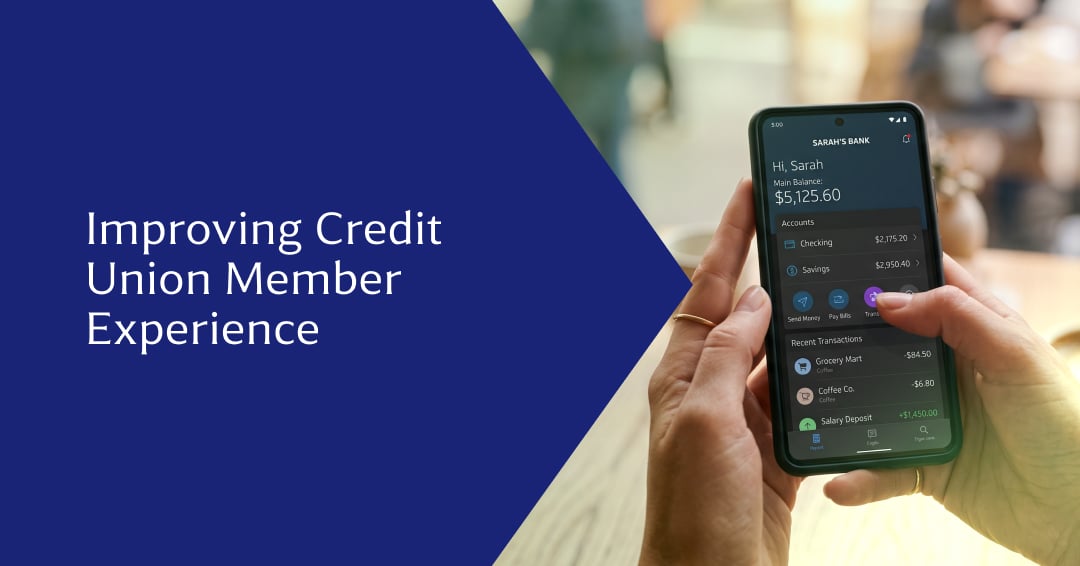
Credit unions usually think of customer service when someone asks about improving their member experience. That’s only one piece of the puzzle.

Most customer platforms were originally built to only store information. They kept records clean, searchable, and compliant, but they didn’t do much...

Every healthcare organization wants to improve patient access, but the first instinct to hire more staff is never a long-term solution. Many access...

Your full schedule doesn’t mean much if it doesn’t follow through. Patients will always cancel at the last minute and appointments easily run late....