Healthcare Workflow Automation: What Providers Should Automate First
Healthcare organizations don't have a shortage of tasks to automate. But which ones are actually worth automating first, and is it worth it?
13 min read
Healthcare organizations don't have a shortage of tasks to automate. But which ones are actually worth automating first, and is it worth it?
The 2024 CAQH Index found that fully automated administrative workflows save an average of 70 minutes per patient visit. That's quite impressive, but saving your staff hours takes more than just putting a workflow on autopilot. You need to choose the right process, connect the systems it touches, and give exceptions somewhere to go.
This blog looks at the healthcare workflows that should be automated first, how AI comes into the picture, and what can make an automated process create more work instead of less.
An automated workflow in the healthcare industry means a system that completes a task end-to-end without any human involvement. If someone on your staff has to step in at any point, you've only managed to automate a step (or steps) within a manual workflow.
Let's take patient intake as one of many examples of workflow automation in healthcare. You can have a system that automatically sends an online form to a patient to fill out, which then writes back to the EHR to update the record. However, staff have to then verify the insurance details, and might even have to call the patient to re-confirm certain fields.
Here, the form-filling was automated, but the entire workflow wasn't because of human involvement. An actual automated intake process would automate the insurance collection and verification as well.
The first (and obvious) benefit is cost. For most healthcare organizations, administrative costs are over 40% of total hospital spending, while in 2025 alone, providers spent $43 billion trying to collect payments for services already rendered.
A significant portion of those expenses is because data is being manually entered across multiple systems, adding overhead and making it easier to lose context in the moment. It's what makes cost the primary driver behind healthcare workflow automation.
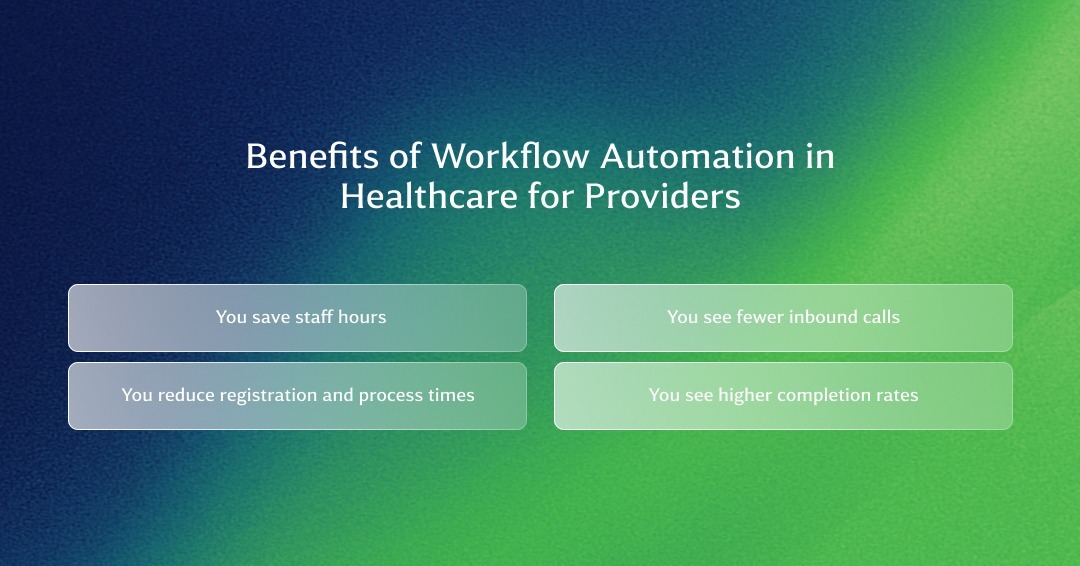
You save not only on labor expenses, but also on time that can be better spent on patient care. However, this is only possible when providers are working with fully automated workflows from start to finish. When that happens, the benefits show up in four areas:
There are six main workflows that every healthcare organization should consider automating. These are the workflows that generate a high volume of repetitive work, often involving hundreds of tasks every week.
|
Workflow |
Trigger |
What Closes It |
Common Stall Point |
|
Scheduling and reminders |
Appointment booked |
Slot confirmed or refilled |
Reminders with no way to reply or rebook |
|
Intake and digital forms |
Appointment confirmed |
Forms completed and data entered into the EHR before arrival |
Incomplete forms with no follow-up |
|
Insurance eligibility verification |
Appointment booked or intake submitted |
Valid coverage info entered into the registration system |
Inactive plan or mismatched member ID |
|
Prior authorization |
Order that needs payer approval |
Payer decision recorded and order released |
Status checks by phone or portal |
|
Clinical documentation and scribing |
During appointment |
Clinician signs the draft note |
Drafts wait in the inbox for someone to check |
|
Claims and denials |
Signed note |
Claim paid or denial resubmitted |
Unassigned denials stuck in the queue |
It's common for healthcare providers to automate their reminders without any way for the patient to reply back. That means they still have to call your office to reschedule. Automating this entire booking process starts by treating it as a chain of events.
Someone schedules a visit via an online scheduler, which triggers reminders to be sent out automatically (interval recommendation: 48 and 24 hours out) ahead of the visit.
But every reminder should have an option for the patient to confirm or reschedule. If it's the latter, there should be a link that takes them back to the scheduler with available time slots.
However, what if the patient cancels? That's something most appointment scheduling automation workflows skip. You need waitlist management that automatically fills a cancelled slot without your staff having to start phoning patients from a list. The chain closes when every booked slot ends up confirmed or refilled.
The information collection process should begin immediately after the appointment is confirmed. The system sends out forms to the patient via text before the visit, and follows up with prompts if the patient leaves it unfinished or forgets about it.
When the form is finally submitted, the medical record of the patient is automatically updated in the EHR to close the loop.
You know you have an excellent digital patient check-in system in place when your staff has nothing to type when the patient walks in.
Eligibility verification can happen during or after intake, but it deserves its own workflow because the real value of automation shows up when something goes wrong.
Most checks come back clean, so the workflow can move those cases forward without staff involvement. The problem starts when a check fails. A basic workflow might flag an inactive plan or incorrect member ID and send it straight to staff for review.
A better workflow sends the issue back to the patient first, asking them to provide an updated insurance card or correct the missing information. Your staff should only step in when the patient can't resolve the issue.
This process starts as soon as someone orders a payer approval. The system identifies such orders within the EHR and verifies them against payer rules. It then pre-fills the request using clinical data and submits it electronically or via payer APIs.
However, that's not the finish line. Tracking authorization status consumes significant time. The automated workflow, hence, should also periodically check with the payer for status updates.
Once approved, the order becomes active. But if it's denied, the system routes the relevant items along with clinical details to a human specialist for handling.
That matters because prior authorization is a high-volume process. Physicians handle an average of about 40 prior authorization requests per week, and 95% say prior authorization delays care. Automating the routine steps can reduce the administrative burden while helping requests move through the process faster.
Clinical documentation starts during the patient encounter, so that is where ambient scribing fits into the workflow. The patient is asked for their consent, after which the scribing tool starts listening to the conversation and drafting notes.
Once the appointment ends, the clinician reviews that draft, makes any necessary corrections, and signs it as part of the medical record.
This workflow is triggered once the medical notes are approved and the patient is ready to be billed. AI coding tools go through the same documentation captured during the encounter to suggest the appropriate ICD-10 and CPT codes. When the documentation doesn't support a proposed code, the system flags the chart for human review before it moves forward. The claim can then go through automated checks against payer requirements before submission, catching common issues before they turn into denials.
It's important to understand that while automated workflows are greatly beneficial for healthcare workers, not every chart should move through without human review. Simple cases can require no intervention, but high-risk cases should routinely be routed to a human professional for a closer look. That keeps coders focused on cases that actually require their judgment instead of reviewing every claim from scratch.
The diagnosis code in the EHR automatically generates a lab request without anyone having to type in the same coding information. The next trigger comes when the results are ready. When they come back, they go straight into the patient's records, while also sending an alert to the provider as well as the patient to download from the portal.
However, if the results contain something alarming that needs the provider's immediate attention, the provider can be sent a more urgent alert instead. This is to ensure that they don't wait in the provider's queue and delay care for chronic patients.
Automated healthcare workflows can support clinical decision-making based on the patient's record and at the point of access, where the system determines what kind of care a patient needs. Both workflows get the right issue in front of the right person without making staff watch every case manually.
However, sending out an alert doesn't mean the workflow is done. It should stay open until a medical professional orders the appropriate follow-up or documents why no action is needed.
Triage works in much the same way. A patient describes their symptoms, and the system checks those responses against a provider's own clinical protocols. Lower-acuity cases can be directed to an appointment, while emergency symptoms trigger an immediate escalation.
The thing to remember is that patients with concerning symptoms should never be left in an automated loop with no clear path to human care.
Instead of leaving radiologists to work through every case in the order it arrives, AI can review images and help prioritize cases that may need faster attention. Radiologists still review every case. Automation only handles who finds out and how quickly.
Stroke care shows why that distinction matters. AI tools that detect large vessel occlusion can flag suspected strokes from CT or CTA imaging and quickly alert the teams responsible for treatment.
The same approach can also help with conditions that aren't emergencies but still require follow-up. AI can identify possible abdominal aortic aneurysms in radiology reports and notify the appropriate specialists, helping prevent those findings from disappearing into a completed report with no clear next step.
The workflow therefore shouldn't end when the scan is read. It closes when the relevant clinician has been notified, and the patient has a documented next step.
Automated outreach only works when it knows why a patient needs to hear from you and what should happen next. These workflows usually start with an event or a date. For example, follow-up reminders when someone books a visit or is discharged, or if someone is overdue on their annual screenings or lab work.
However, the message is only the beginning. Automation also needs to handle what happens when the patient doesn't respond. If the first two reminders have gone unanswered, the system can switch to another channel before booking the patient for a manual staff call. This is important because a patient who hasn't answered a check-in may need faster care than someone who ignored a screening reminder.
Dates are usually the triggers for these workflows. A patient who has a prescription refill due at the start of every month can receive timely reminders leading up to the date. This ensures they can request a refill in time.
Patients can receive a text message to confirm or request a refill. This self-service approach keeps them from calling the office and waiting in queues. When the prescription is ready for pickup, another prompt can be sent as a reminder.
It also happens that patients need a pharmacist's help with their refills or adherence. If someone mentions side effects or cost concerns in their reply to the earlier message, the system should route the message directly to a pharmacist. These handoffs are critical to medication adherence solutions.
These workflows don't usually need a patient or staff member to start them. They run in the background, waiting for a missing requirement or a threshold breach. But any new piece of data can easily trigger the next step automatically.
Quality reporting is a good example. The system can flag missing documentation while the visit is still underway instead of waiting for a review afterward, giving on-duty staff time to fix the gap.
Compliance workflows follow the same model. Audit logging and role-based access controls track who accesses what and when, creating a data trail that makes reviews and investigations easier for healthcare organizations.
Inventory management, on the other hand, follows a rather simple trigger. It raises a flag whenever supplies fall below a predefined stock level. When that happens, the system can start creating a request for procurement, allowing an administrator to jump straight to order instead of drafting a request.
Most of what gets marketed as AI in healthcare workflow automation actually runs on rules. You're using the same automation platform as before, just with a fancier name.
It also needs to be pointed out that the AI here actually does nothing. Do you really need an AI to tell you that a reminder needs to go out when someone books an appointment? That’s just a rule you set to trigger an automated workflow.
The need for AI shows up when you can't predict what will come in or what the patient will ask. That's where AI can help, particularly in the following four areas:
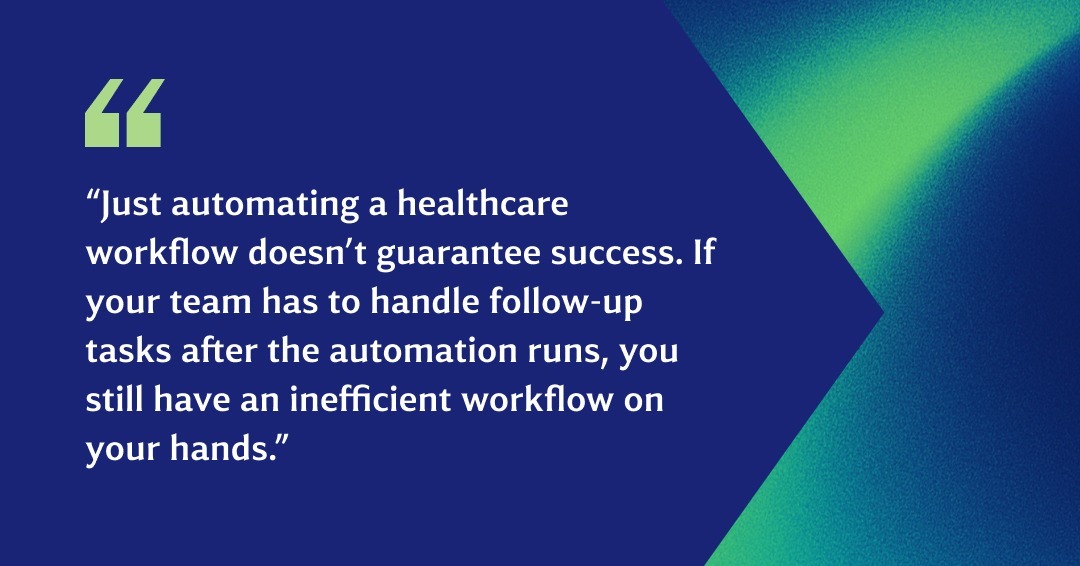
Just automating a healthcare workflow doesn't guarantee success. If your team has to handle follow-up tasks after the automation runs, you still have an inefficient workflow on your hands. In most cases, it's worse than the manual process you replaced because you're now investing in both automation and human labor for the same task.
You rarely need to automate everything at once. A useful starting point is to look at each workflow through a set of criteria. That works better than simply choosing based on which task receives the most complaints. Here are the steps involved that will get your healthcare automation program off the ground.
Make a list of workflows you want to automate and then score them from 1-5 on the following:
Add the three scores to get a starting point for your sequence. The highest-scoring workflow goes first, while lower-scoring candidates can wait until their volume, automation gap, or system readiness changes.
A workflow is only done when the system finishes the task and records what happened. Before that can work, you need four things in place.
These gaps often reflect healthcare interoperability challenges that existed before the automation project began. Fix them first, and your integration readiness scores go up across the board.
There are four capabilities that prove whether a vendor's healthcare automation solution can close a workflow. You need to test each of these in the demo.
An automated system can still send the wrong message or expose patient information if there's no human oversight and ownership. Make sure to do the following:
Every healthcare organization has at least one workflow that they've automated but still ends with a request to call the office. The dashboard logs it as a success, but a staff member still needs to step in at some point to close the loop.
WestCX ensures end-to-end automated workflows in the healthcare sector. Our platform handles the first message and everything that needs to happen afterward. That means a successful closed loop instead of landing the task back on your staff.
The real magic happens when WestCX Orchestrate™ kicks in. Our orchestration engine connects workflows across voice, SMS/RCS, email, and web chat around the patient journey instead of leaving each channel to operate on its own.
Orchestrate also connects with the systems you already use, giving each interaction the context it needs and carrying that context forward as the patient moves through the workflow.
A patient can call to reschedule an appointment, and the AI can use their EHR context to make the change and update the record without sending the task back to staff.
The same workflow can handle refills, copay collection, intake, and insurance verification. Patients can also move between channels without starting over. Someone confirming a procedure by voice can receive prep instructions and a consent form by RCS while they're still on the call, then complete the form before hanging up.
Furthermore, compliance is built into every workflow, with HIPAA and HITRUST certifications alongside SOC 2 and PCI, plus an auditable record of automated decisions and interactions.
Healthcare providers using WestCX see 35% fewer no-shows. About 65% of their inbound calls get resolved automatically. Preventive screening completion climbs by up to 41%.
Ready to start automating workflows around patients, and not messages? Book a demo to see how WestCX Orchestrate can connect your healthcare workflows from the first interaction through to the final outcome.
Healthcare organizations don't have a shortage of tasks to automate. But which ones are actually worth automating first, and is it worth it?

Generative systems have changed what happens after a call has been routed. Instead of simply pointing callers towards a FAQ page or another generic...
Hold times ultimately come down to the number of calls coming in, the capacity to answer them, and what callers do instead of waiting. Hiring more...